
How to Resubmit a Failed Payment in the Dashboard
Retry a failed charge or payout from the Straddle Dashboard without calling the API.
When a charge or payout fails, resubmit it directly from the Straddle Dashboard. Resubmitting creates a new payment linked to the original, carrying over the original bank information and payment details.
Before you start
The dashboard resubmit flow works only for payments in failed status.
Each payment can be resubmitted once from the dashboard. If a resubmitted payment also fails, resubmit that one to create a chain.
If the failure is an R29 corporate debit block and the paykey is still blocked, you must unblock the paykey first. See Remove account blocks.
Steps
Sign in to the Straddle Dashboard.
Under Main, open Payments.
Open the charge or payout you want to retry from the list or by following its link.
Resubmit the payment. On the payment detail page, open the status control (for example Failed with a chevron) and choose Resubmit, or use the Resubmit Payment button when it appears next to the status. Confirm in the dialog.
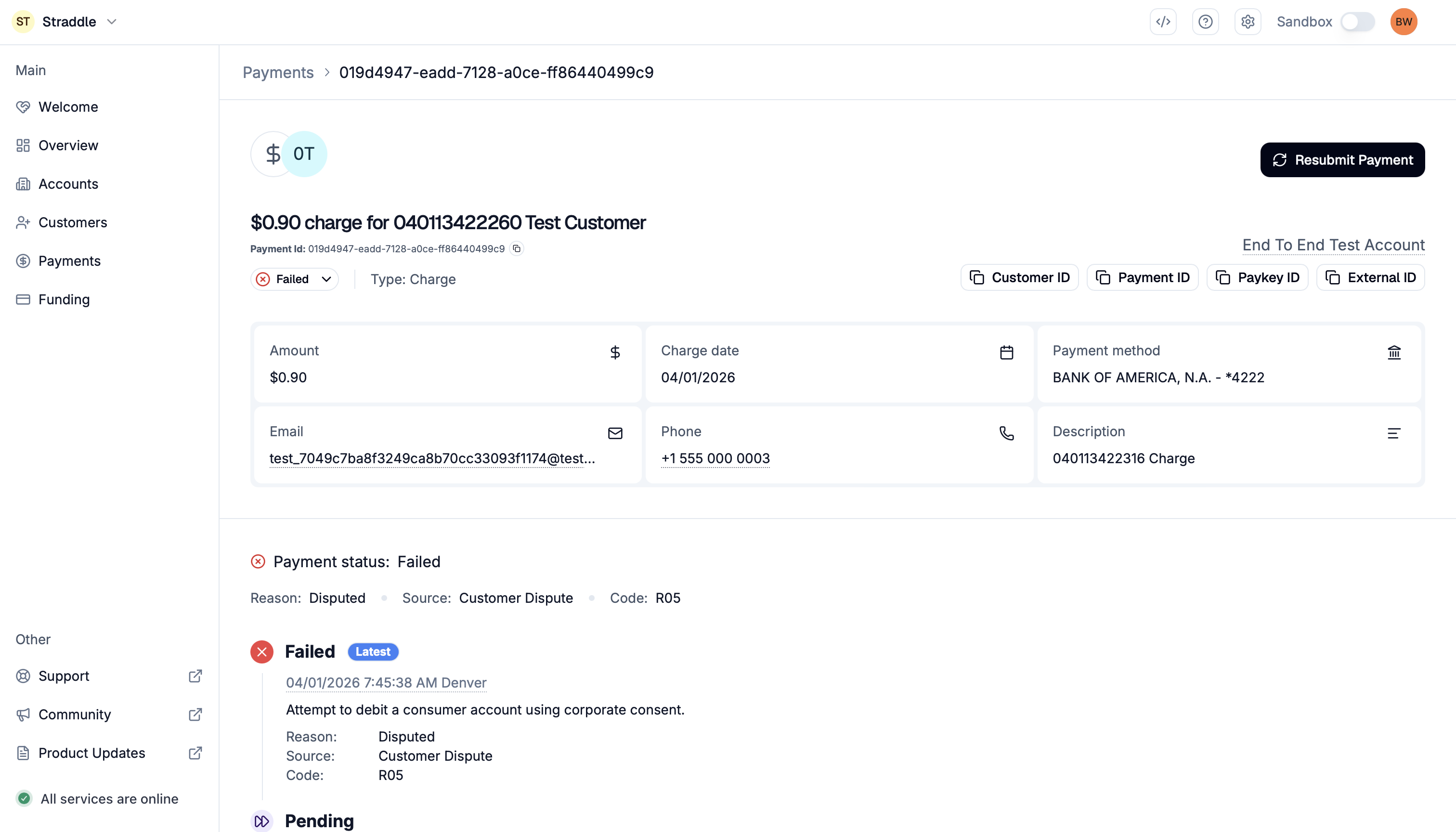
After resubmitting
After a successful resubmit, use View Resubmitted Payment (or the new ID in related_payments) to open the replacement payment.
The new payment inherits the amount, paykey, currency, and metadata from the original. The description is always set to RETRY PMNT for resubmits.
R29 corporate debit blocks
If the failure is an R29 (Corporate Not Authorized) return and the paykey is still blocked, the dashboard does not resubmit until you unblock the paykey.
From the same status menu or the header button on the payment detail page, choose Unblock Paykey.
After the paykey is unblocked, the dashboard offers to resubmit the payment.
Before retrying, make sure your customer has added Straddle's Company ID to their ACH Positive Pay list, otherwise the bank blocks the payment again. See Remove ACH blocks on linked bank accounts.