
How to Refund a Paid Charge in the Dashboard
Return funds to a customer for a paid charge directly from the Straddle Dashboard, without calling the API.
Before you start
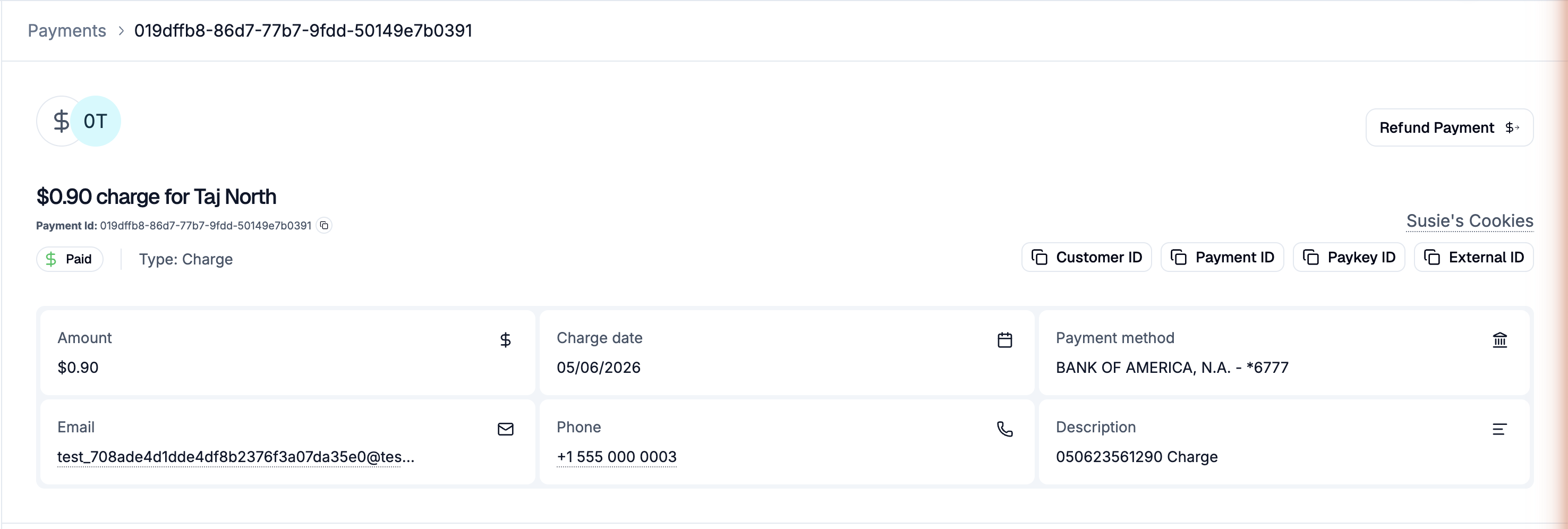
The dashboard refund flow works only on charges in Paid status. Failed, reversed, or cancelled charges can't be refunded; use Resubmit for those.
Each charge can be refunded once. Partial or full refunds are both supported.
Steps
Sign in to the Straddle Dashboard.
Under Main, open Payments.
Open the paid charge you want to refund from the list, or follow its link.
Click Refund Payment on the payment detail page (top right).
Enter the amount you want to refund. The amount must be greater than $0 and no more than the original charge.
(Optional) Click Add reason to record why you're issuing the refund. The reason is stored on the refund payout and visible in the dashboard.
Click Refund Payment. The refund is created as a linked payout on the charge, and the customer receives the funds back at the same bank account they originally paid from.
After refunding
The original charge stays in Paid status. Refunds are tracked separately as payouts and linked through
related_payments.A new payout appears for the refund. Open it to see the details.
On the original charge, the Refund Payment button is replaced by View Refunded Payment, which links to the refund payout's detail page.
Filtering refunds
Use the search endpoint with the isRefund flag to find all refunded charges.
When you can't refund
"Amount cannot exceed original payment value of $X": refund amounts must be ≤ the original charge.
"This charge has already been refunded": each charge can have one refund.
"Charge is not in paid status": the charge moved out of Paid (e.g. a return came in). Refunds are only available on Paid charges.
"Concurrent refund detected": another refund was issued for this charge at the same time. Refresh the page to see the existing refund.
If you need help, contact support@straddle.com.