
Download Funding Event Details
You can export the detailed transaction data for any funding event directly from the Straddle Dashboard. This is useful for reconciliation, accounting, or reviewing the individual transactions included in a settlement.
Steps
Log in to the Straddle Dashboard.
Navigate to the funding event.
You can access funding events from several places in the dashboard, including:
The Funding Events section in the left navigation menu
An Account page
A Payment page
Open the funding event you want to review.
In the upper right corner of the funding event page, click Export CSV.
In the popup window, click Send Report.

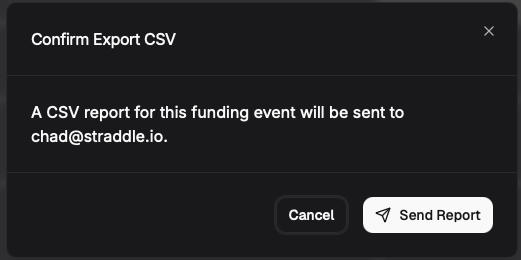
What happens next
The funding event report will be generated and sent to the email address associated with your Straddle account.
Most reports are delivered within a few minutes. During periods of higher activity, report generation may take up to 30 minutes.
Notes
The exported CSV includes all transactions associated with the funding event.
If you do not receive the email after 30 minutes, please check your spam folder or contact support@straddle.com for assistance.