
Trace a payment, customer or paykey
Trace shows every change made to a customer, paykey, charge, payout or funding event, and to the records around it, on one timeline. Open it with Trace logs on the record's page, or from Trace in the developer menu. Users with the Developer or Admin role can use it.
Before you start
- You need the Developer or Admin role. Other users don't see the Trace logs button or the developer menu.
- Trace shows changes only. Requests that just read a record, such as fetching a charge, don't appear.
Steps
-
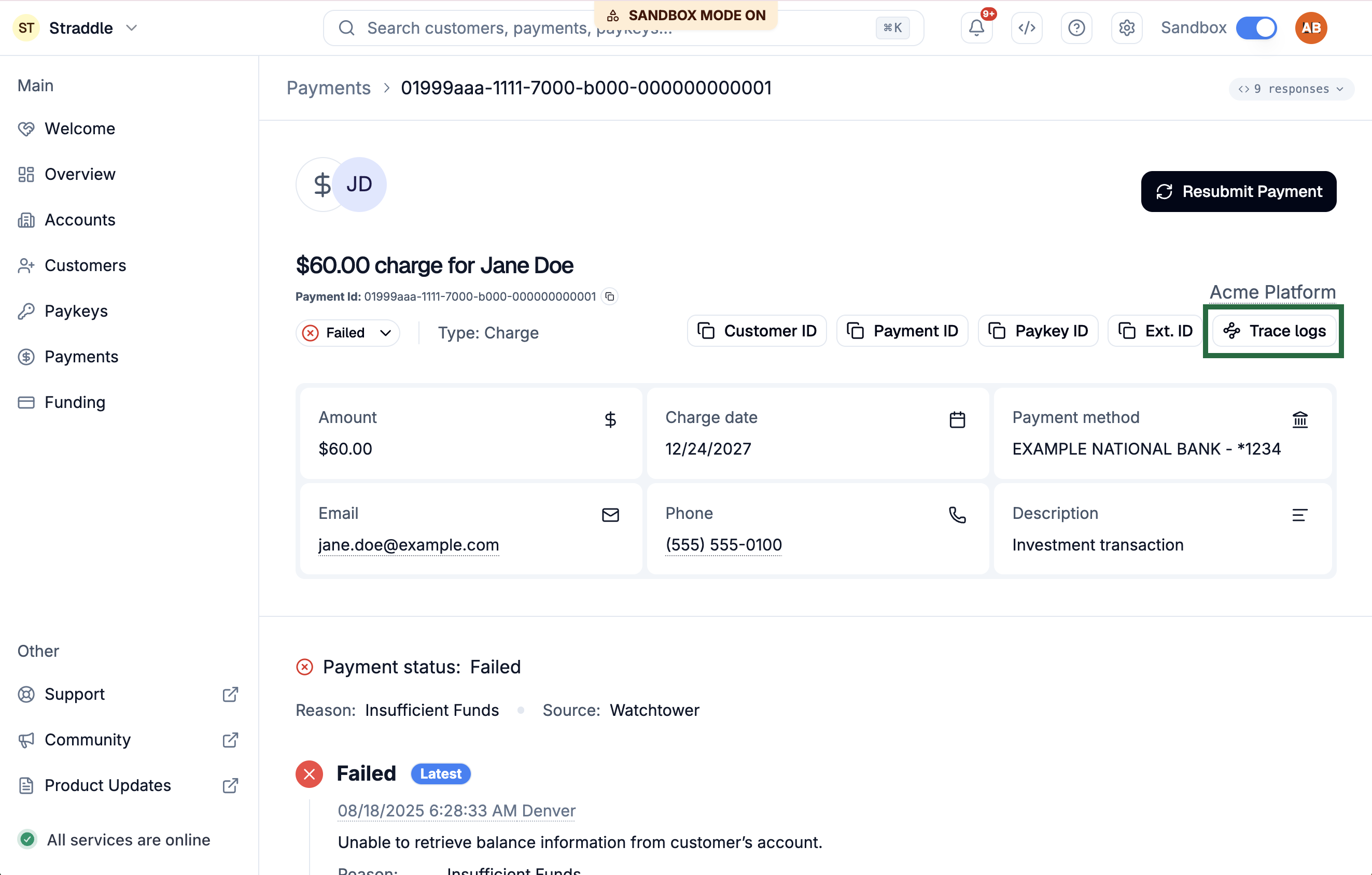
Open the page for the customer, paykey, charge, payout or funding event you want to trace.
-
Click Trace logs at the top of the page.
-
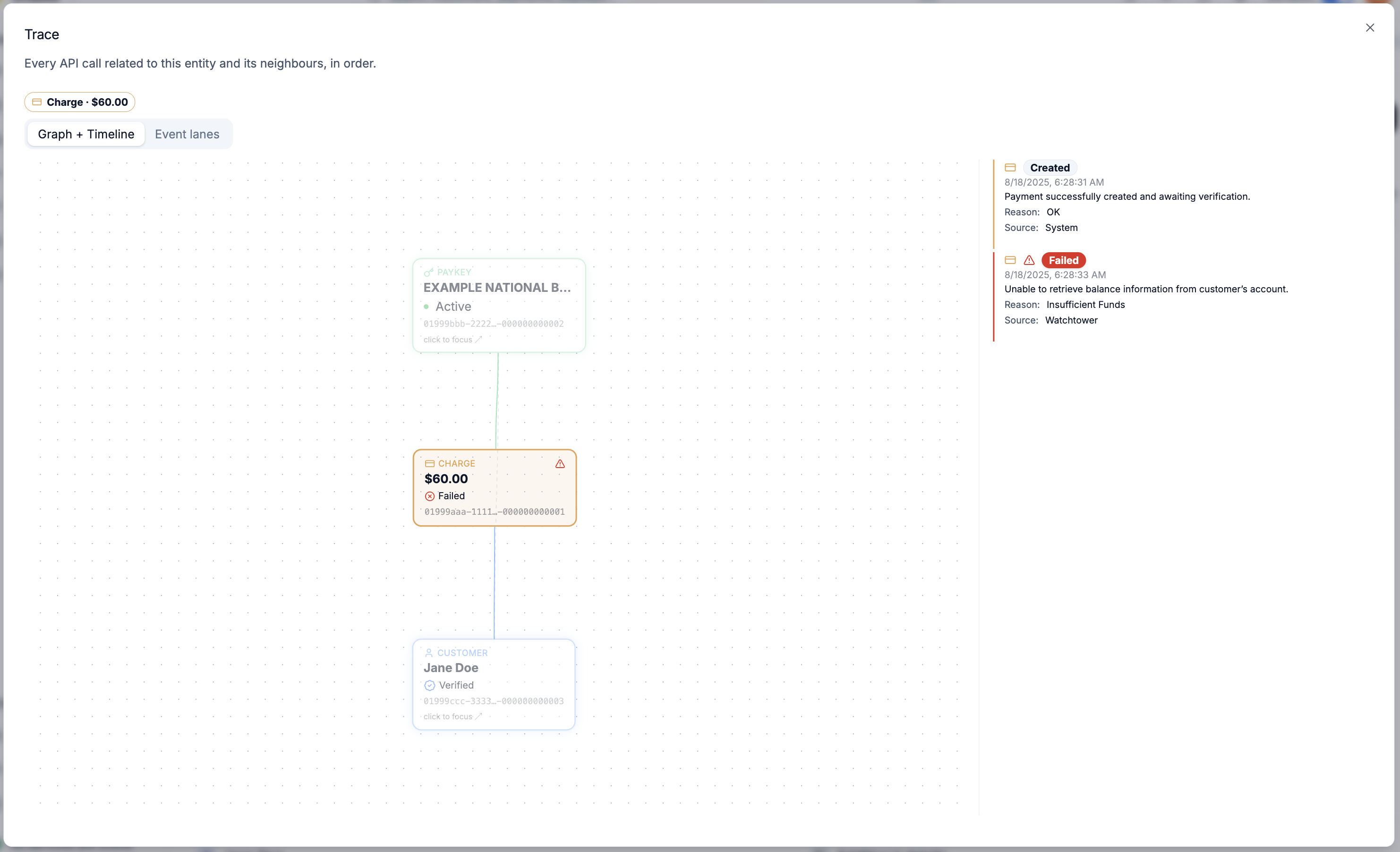
Read the timeline on the right. The Trace window opens on that record in the Graph + Timeline view, oldest entries first.
-
Click an API call in the timeline to see its full request and response.
-
Optional: click a record in the graph on the left to move the trace to it. Its own neighbours join the graph. Use the breadcrumb above the graph to go back.
-
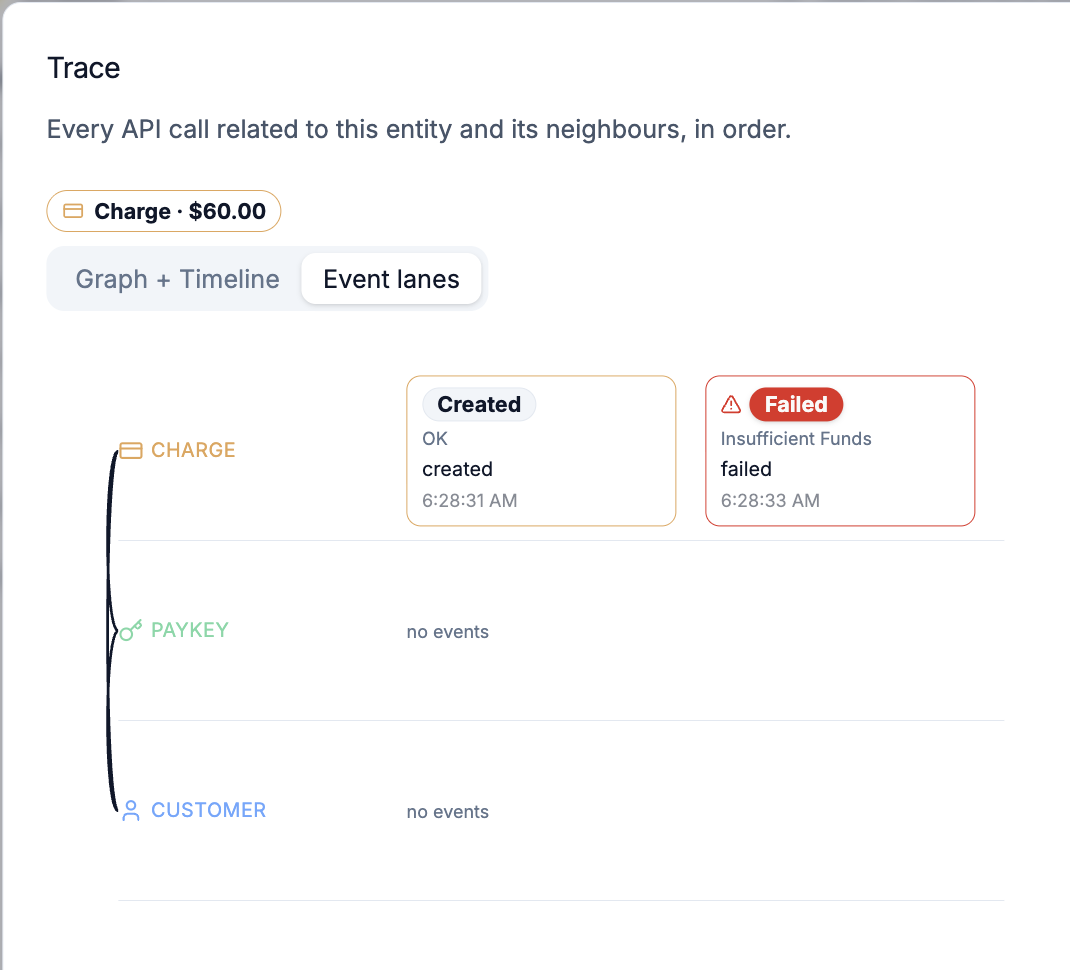
Optional: click Event lanes to see the same entries in one lane per record, which shows which record was active when.
If you have an ID but not the page, open Trace from the developer menu, the code icon at the top of the dashboard. Paste the ID, or type at least two characters of a name, then pick a result or click Trace.
What happens next
The timeline mixes four kinds of entry. Each has a toggle with a count above the timeline, and all four are on at first:
- API logs: calls made with your API keys, named by what they did, such as Create Charge or Hold Charge.
- User logs: changes people made in the dashboard.
- Webhooks: the webhooks Straddle sent.
- Entity history: status changes, each with its reason.
Failed calls and failed statuses are marked in red, on the row and on the record in the graph. Hover a record in the graph to highlight its rows.
When a record has three or more neighbours of one kind, such as many charges on one paykey, the graph shows the three most recent and groups the rest. Open the group to pick another one, ten per page.
If it doesn't work
- There's no Trace logs button. You don't have the Developer or Admin role, or the page isn't a customer, paykey, charge, payout or funding event.
- Trace says Unrecognized id. The ID isn't a customer, paykey, charge, payout or funding event. Accounts and organizations can't be traced.
- A toggle shows a warning instead of a count. That kind of entry couldn't be loaded, so the trace is missing those rows. Close Trace and open it again.
Related
- Download funding event details
- Request IDs, in the docs