
Resubmit a failed payment
Resubmit a failed, reversed, or cancelled charge or payout from its page in the dashboard to send it again as a new payment with the same amount and bank details. Anyone who can open Payments can resubmit a payment.
Before you start
- Only a charge or payout in Failed, Reversed, or Cancelled status can be resubmitted. Refunds can't.
- Each payment can be resubmitted once. If the new payment fails too, it can't be resubmitted.
- If the payment failed with return code R29 and its paykey is blocked, the page offers Unblock Paykey instead. Unblock the paykey first, as described under If it doesn't work.
Steps
-
In the dashboard, under Main, open Payments.
-
Open the charge or payout you want to resubmit.
-
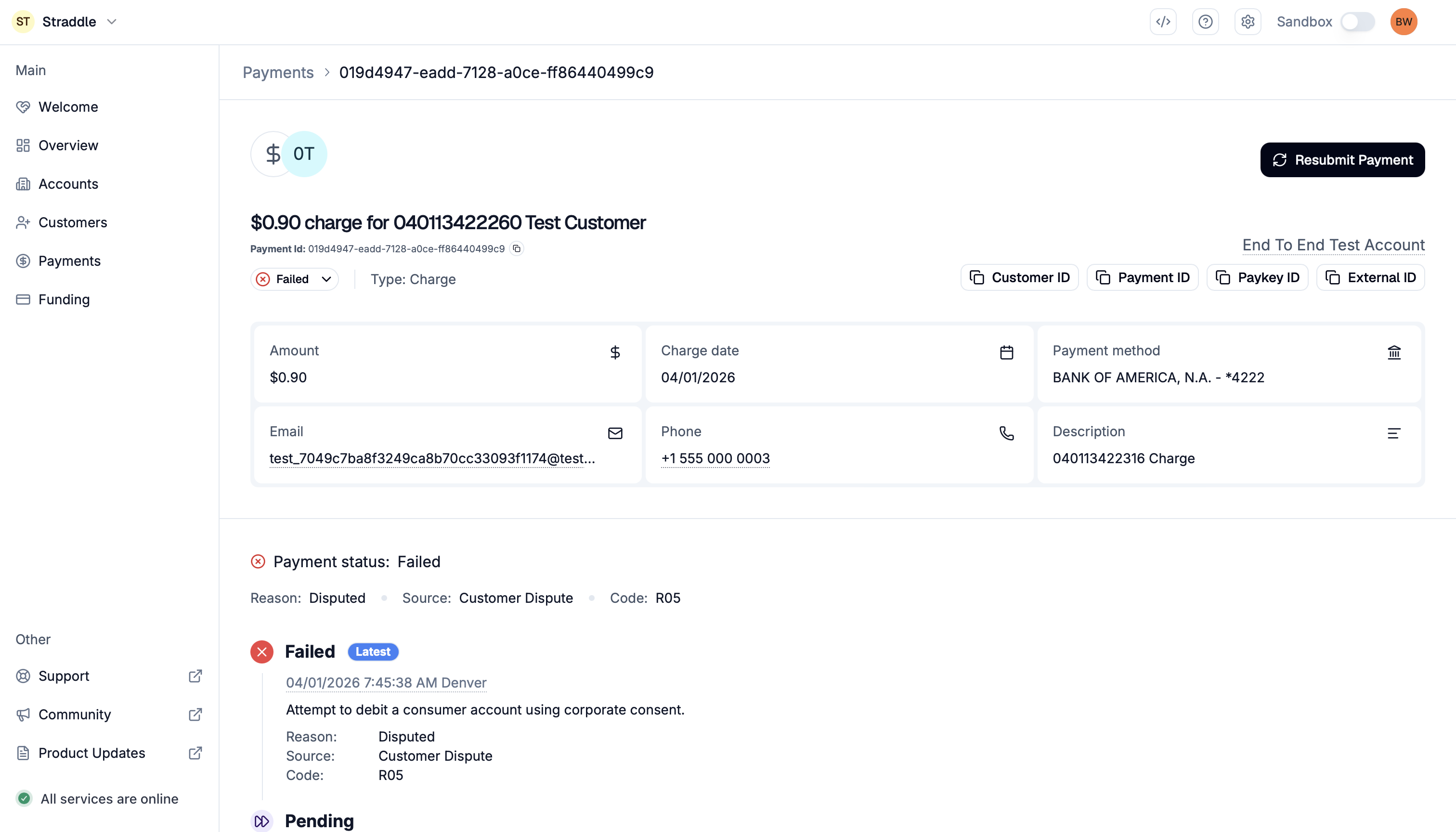
Click Resubmit Payment at the top right of the payment's page. You can also click the status button, for example Failed, and choose Resubmit.
-
Optional: click Add a reason and enter why you're resubmitting.
-
Click Yes, Resubmit Payment.
What happens next
- The dashboard confirms that the payment has been resubmitted.
- The resubmitted payment is a new charge or payout. It has the original's amount, currency, paykey, description, and metadata, and today as its payment date, in Eastern time. Processing starts right away, and it moves through the same statuses as any payment. When it's sent depends on the cut-off times.
- The original payment keeps its status. Its page shows View Resubmitted Payment in place of Resubmit Payment, which opens the new payment.
If it doesn't work
- The page shows Unblock Paykey instead. The payment failed or was reversed with return code R29, which means your customer's bank blocked the debit, and its paykey is blocked. First, make sure your customer has given their bank the company ID shown in the dialog. Then click Unblock Paykey, tick the confirmation, and click Unblock Paykey. The dialog then offers Yes, Resubmit Payment. You can unblock a paykey only once. See Unblock a blocked paykey and your customer's bank blocks ACH debits.
- The dashboard says the payment is already a resubmit. The payment you opened is itself a resubmitted payment, and those can't be resubmitted again.
- The dashboard says the payment has already been resubmitted or isn't valid to be resubmitted. It changed after you opened it: someone else resubmitted it, or its status changed. Refresh the page to see its current status.