
Check your alerts and notifications
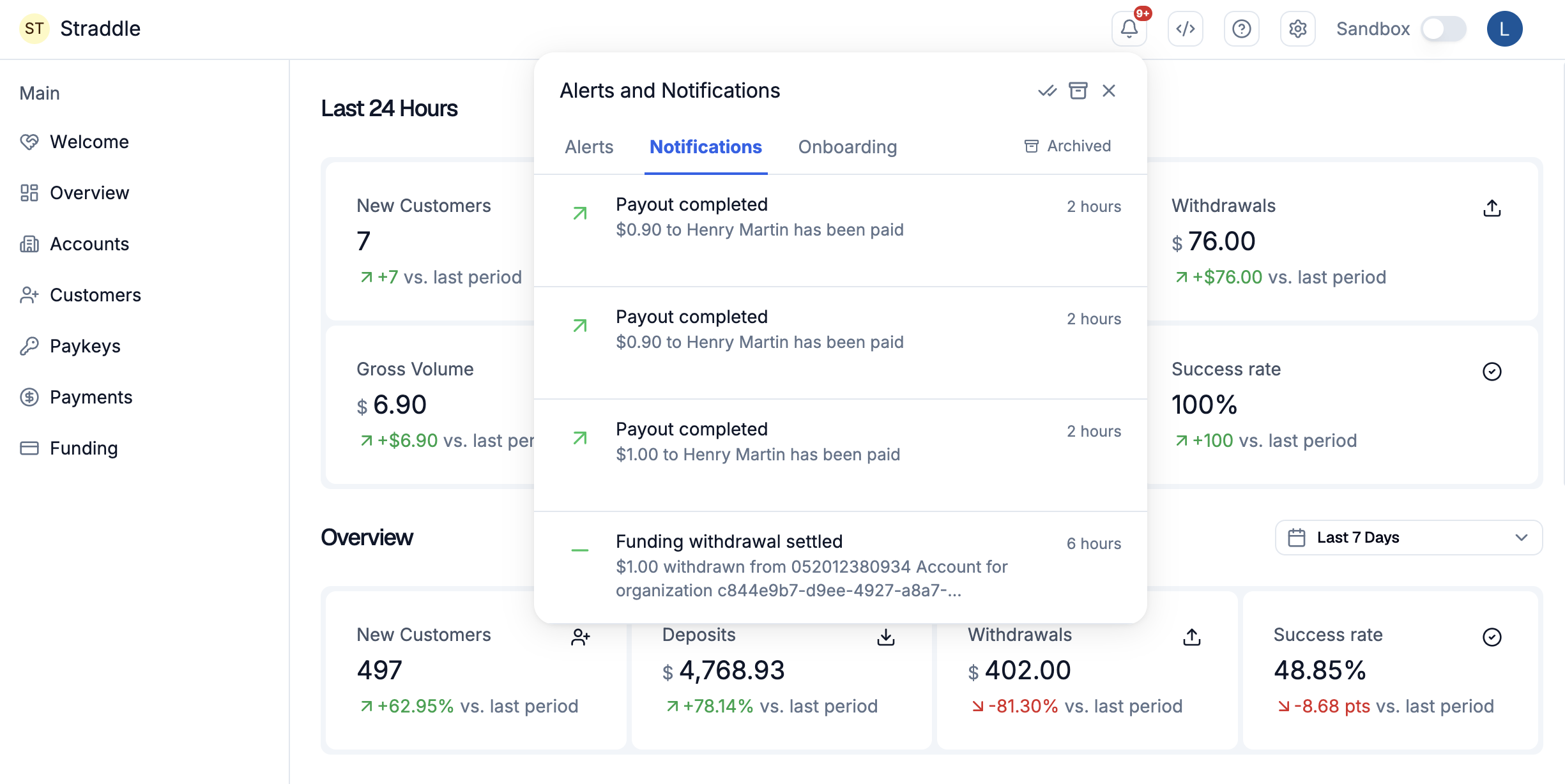
Click the bell at the top right of the dashboard to see recent events on your charges, payouts, funding, customers, paykeys, and accounts, and to open the page for each one. You choose which events you get from your own settings; no role is needed.
Before you start
- Alerts and notifications are off until you turn them on. Each user chooses their own events.
- Your feed belongs to you, not to your team. Sandbox and production each have their own feed.
Steps
-
Click the bell at the top right of the dashboard. A red badge shows how many items you haven't read.
-
If the panel says Notifications are off, click Turn on.
-
Switch on In-App for each event you want in the panel. Switch on Email for any event you also want by email.
The same settings are under your profile picture, in Manage account > Alerts and Notifications.
-
Back in the panel, choose the Alerts, Notifications, or Onboarding tab.
-
Click an item to open the page for that charge, payout, customer, or other record.
What happens next
- An item you open is marked read and fades. Hover over an item to Mark as unread or Archive it.
- The Mark all as read and Archive all icons at the top of the panel act on every tab at once. The panel asks you to confirm first.
- Click Archived to see archived items, and Unarchive to bring one back.
- Each item shows how long ago it happened.
The panel shows the events you turned on. You can choose any of the following:
| Event | When it happens |
|---|---|
| Account created | A new account is created on the platform. |
| Account status change | An account's status changes to onboarding, active, rejected, or inactive. |
| Bank verification failed | A bank account verification returns failed or inconclusive. |
| Customer in review | A customer is flagged for identity or fraud review, and their payments are paused. |
| Funding settled | A funding batch is deposited to the connected bank account. |
| Funding failed | The bank returns outbound funding, and it needs action. |
| Paykey blocked (first R29) | A paykey is blocked after a first unauthorized return and can be unblocked. |
| Paykey blocked (repeat R29) | A paykey is blocked after a repeat unauthorized return and can't be unblocked automatically. |
| Paykey in review | A paykey is flagged for review, and payments using it are paused. |
| Charge created | A new charge is created and starts processing. |
| Charge completed | A charge settles and the funds are paid. |
| Charge on hold | A charge is put on hold until it's released or cancelled. |
| Charge failed | A charge is rejected or returned. |
| Charge reversed | A settled charge is reversed by an ACH return. |
| Payout created | A new payout is created and starts processing. |
| Payout completed | A payout is paid to the recipient. |
| Payout on hold | A payout is put on hold until it's released or cancelled. |
| Payout failed | The recipient's bank rejects or returns a payout. |
| Payout reversed | A settled payout is reversed by an ACH return. |
If it doesn't work
- There's no bell. Alerts and notifications aren't turned on for your organization or platform yet.
- The panel is empty. Check that In-App is on for the events you want, and that the Sandbox switch matches where the payments are.
- Settings say no notification settings are available for your account. Your user can't receive alerts and notifications.
- The panel says it failed to load notifications. Click Try again.
Related
- Set up email notifications, for shared team mailboxes
- Payment statuses, in the docs
- Webhook event catalog, in the docs, to get the same events in your own system